







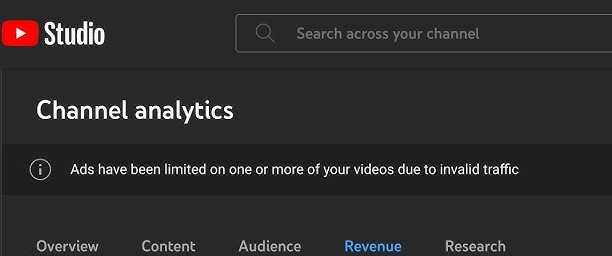
Ads have been limited on one or more of your videos due to Invalid Traffic
On 7th April I was hit with the “Invalid Traffic” and my earnings dropped from a cliff! more than 65% which is a lot if you do YouTube for a living.
I tried to contact YouTube chat support for countless times and frankly, It led nowhere and half of the time I had to ask if I was talking to a bot or something. Fortunately, they were real people but were no help as it’s not in their hands to change anything or prevent anything.
So I took the matter into my own hands.
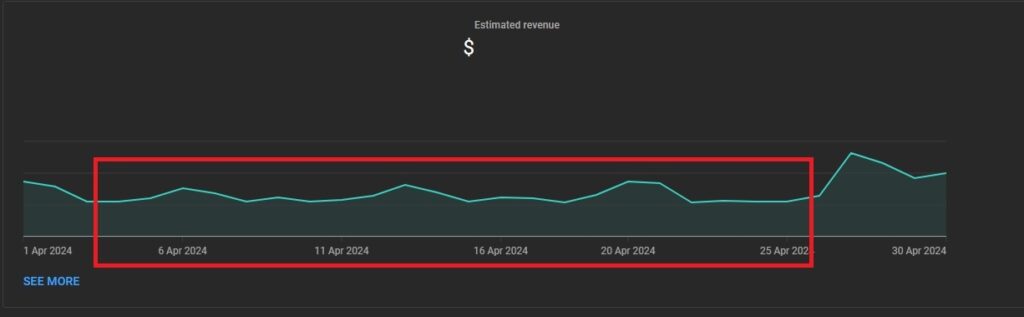
How to fix “Ads have been limited on one or more of your videos due to Invalid Traffic – YouTube”
And here’s a couple of things I checked and did that sorted it for me. I can’t guarantee that it’ll fix yours too but I’m 100% sure you’ll find something that’ll help you for sure.
Youtube Traffic Source:
First up, we must check if the invalid traffic is true. So, here’s what we’ve got to do.
- Go to Analytics
- Find “How viewers find your videos”
- Click “See More”
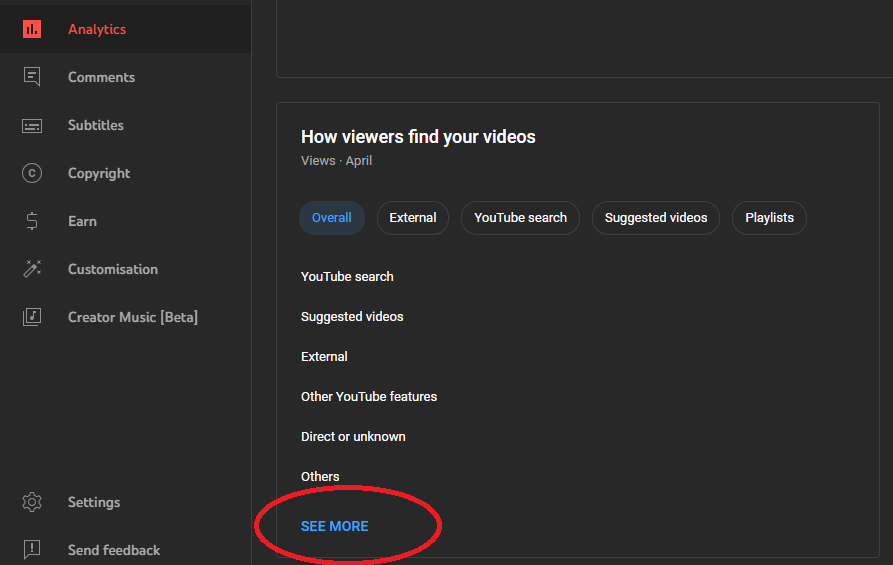
Ads have been limited on one or more of your videos due to Invalid Traffic:
Select the Month you got the “Ads have been limited on one or more of your videos due to Invalid Traffic” on your YouTube Channel. Mine was April so I selected April in the tab.
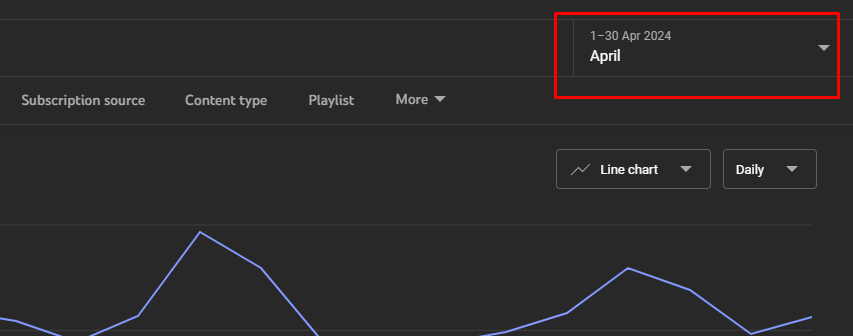
Check Invalid Traffic Sources:
Invalid or at least a little suspicious to you, look through the list thoroughly.
In my case, I noticed a traffic source “YouTube Advertising” and I realized I’ve never advertised my videos on YouTube, at least not in April or ever for that matter.
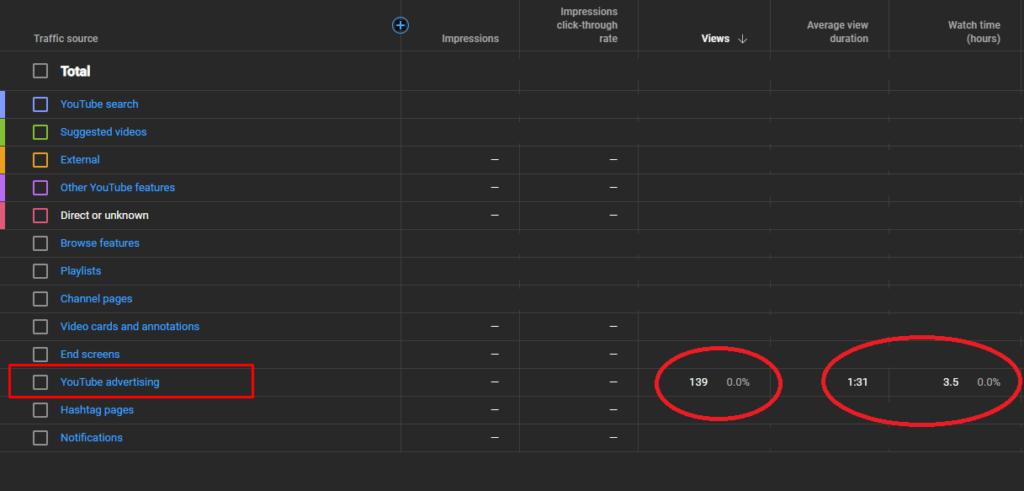
Select The Invalid Traffic Source:
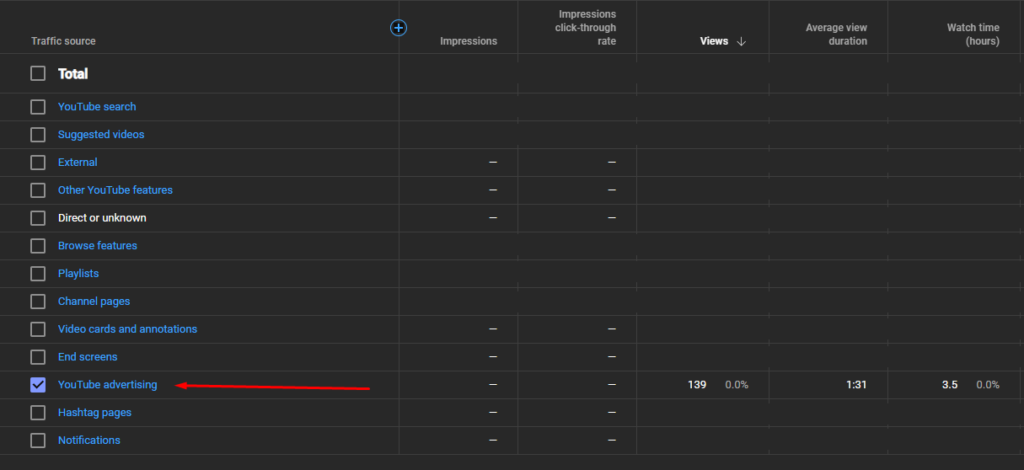
I realized I’ve got about 3.5 hours from YouTube advertising. If it wasn’t me then who else is advertising my videos and clicking on the Ad out of spite? Someone advertised my videos to the wrong audience and the video was clicked on again and again flagged the system.
So, I selected “YouTube Advertising” to see when the traffic came to my channel.
And well well… just as I thought. There’s a major Spike from Youtube Advertising on 7th April which flagged the system.
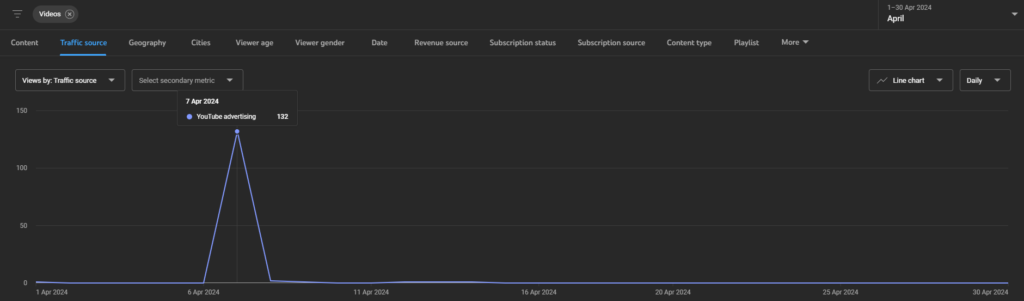
before, you know it. It was April 7th. If you read at the top. I got the “Ads have been limited on one or more of your videos due to Invalid Traffic” on my channel on exactly 7th of April.
Youtube Advertising:
Someone was hijacking my videos and advertising them to the wrong traffic, which flagged the YouTube system that my channel was getting invalid traffic or in other words “Ads have been limited on one or more of your videos due to Invalid Traffic”.
You can’t go back in time to change it but you can for sure prevent it so it can’t happen again in the future.
Enable Google Ads Account Linking to Prevent any Invalid Traffic in Future:
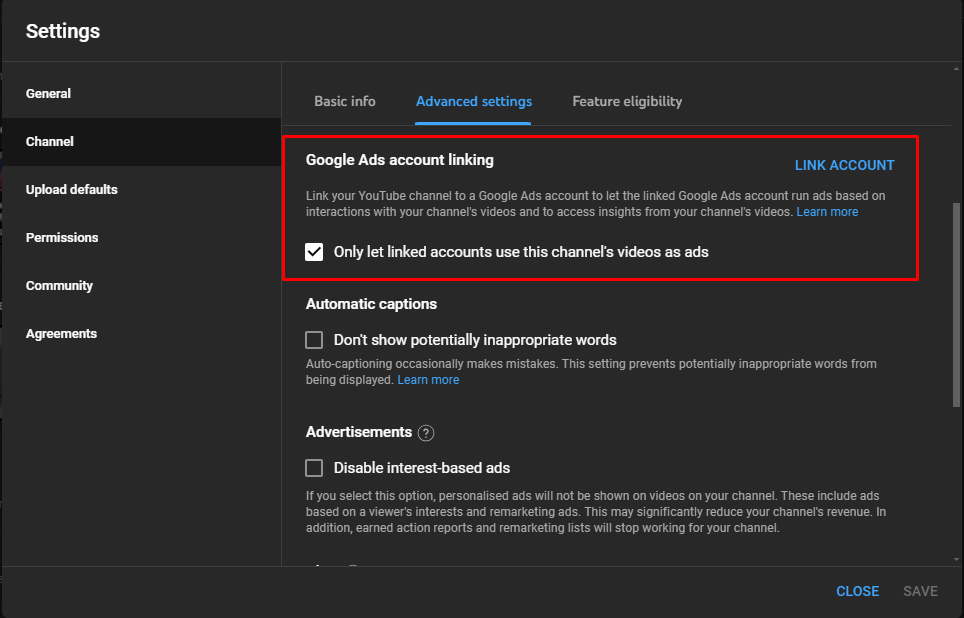
So, here’s what I did. First up go to the settings of your YouTube Channel as shown below.
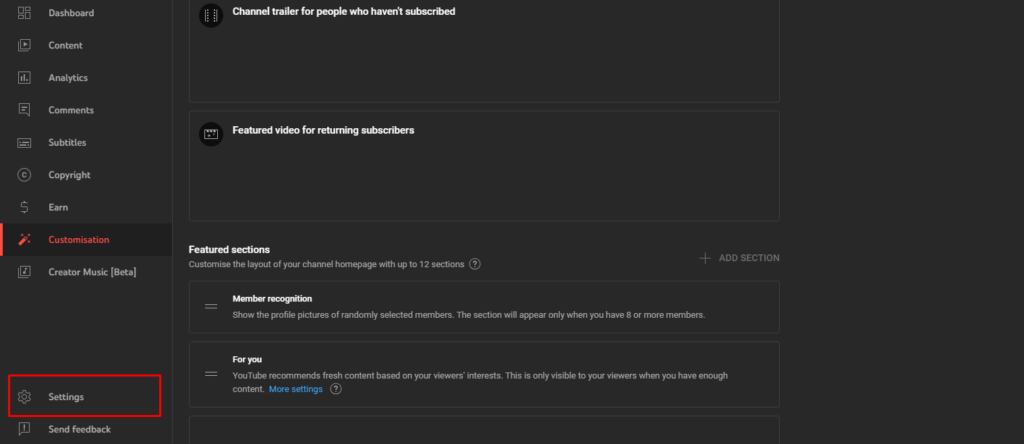
Once you’re in the Settings
- Go to Channel
- Advanced Settings
- Select “Only let linked accounts use this channel’s videos as ads”
“Ads have been limited on one or more of your videos due to Invalid Traffic” Fixed?
The big question, to be frank. It did help but it took time. Around 7-10 days for me to get the system back on traffic. I did try to contact Youtube Chat support they said it’ll take 7-14 days for the system to reset once the invalid traffic is gone. So, be patient.
Should you remove affiliate links from your YouTube videos?
No, this is not necessary. If the above solution doesn’t help. Don’t do anything to your videos. Just be patient and check your traffic sources thoroughly.
Should you remove your videos or make them private?
No, this will hurt your Channel even more. Don’t remove or make any of your videos private. Once the system stops detecting the “invalid traffic” it’ll go back to regular.
Conclusion:
All we can do is wait and hope for the best. Frankly, I was so scared and worried that it wouldn’t go back. After sleepless nights and trying this fix. I left it up to YouTube. You just do your best, and don’t stop uploading videos. Be regular. It’ll be fixed, don’t worry.
Hope this helped a little, I know it isn’t easy to see your earnings go down like that after working so hard. I know, trust me. We got this!
“Ads have been limited on one or more of your videos due to Invalid Traffic” is a bug?
Nope, it’s not a bug. It was stated by YouTube on Twitter that it’s not a bug. So, if your channel is hit with it. You really need to check into it.
Also, did you get an iPhone? Turn it into a Dark Art Masterpiece theme here!