Screen Mirroring.
  • Apple
    • All
    • Android
    • featured
    • Featured posts
    • iOS
    • Macbook
    • Screen Mirroring
    • TV
    • Uncategorized
    • Windows
    Ads-have-been-limited

    How to Fix YouTube Invalid Traffic

    screen-mirror-laptop-to-tv

    How to Screen Mirror Laptop to TV – Complete Guide

    How to connect android phone to smart tv 2026 complete guide

    How to Connect Android Phone to Smart TV (2026 Complete Guide)

    iOS 26 Friendly Wallpapers

    iOS 26 Friendly Wallpapers for you!

    Transform Your iPhone: Create a Dark & Aesthetic Theme

    Transform Your iPhone: Create a Dark & Aesthetic Theme

    How to Screen Mirror Motorola to TV

    How to Connect & Screen Mirror Motorola to TV

    How to Screen Mirror Tecno Android Phone to TV

    How to Screen Mirror Tecno Android Phone to TV

  • Samsung
  • Android
  • iOS
  • MacBook
  • Windows
No Result
View All Result
Freebies.
No Result
View All Result
Home Featured posts

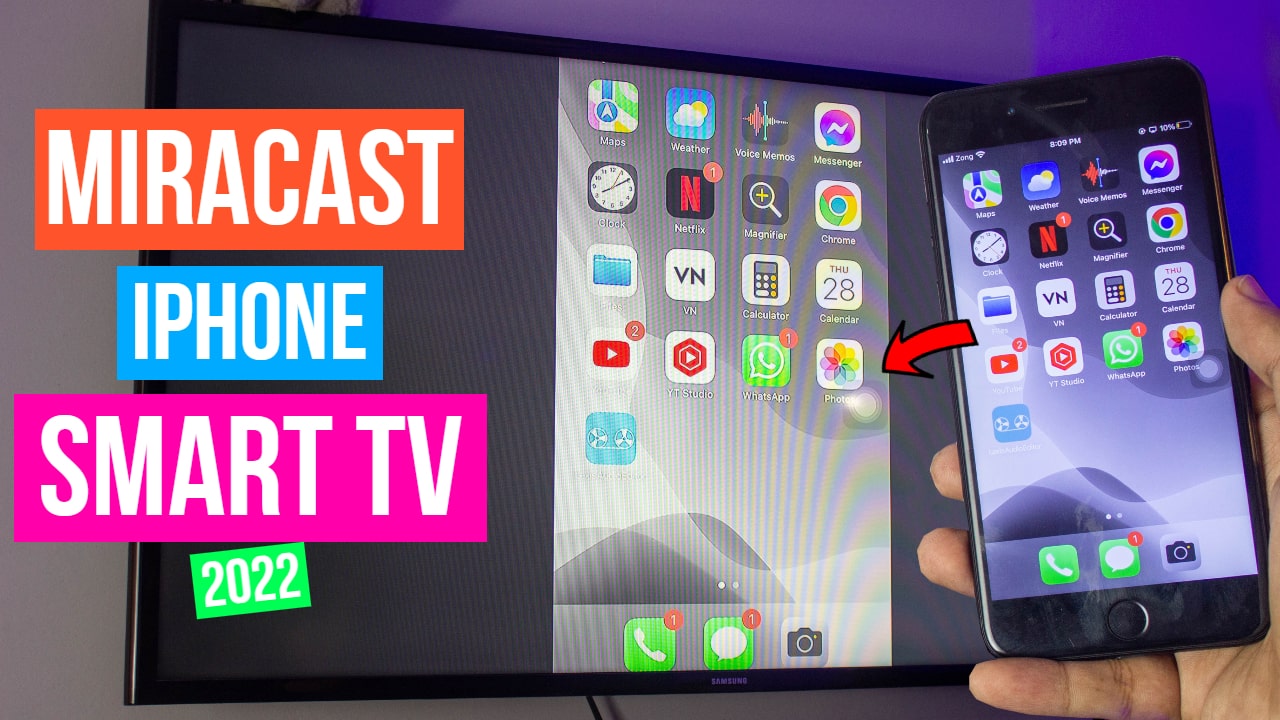
Miracast iPhone 7 Plus to Smart TV (2022)

July 11, 2023
in Featured posts, iOS, Screen Mirroring
412 26
miracast iphone 7 plus to smart tv

miracast iphone 7 plus to smart tv

This image has an empty alt attribute; its file name is rizisuper-3.jpg

Watch new Tutorials on How-To Screen Mirror on Youtube every Week!

Screen Mirroring or Miracast iPhone 7 Plus or any iPhone to your Smart TV is completely free and easy. No need for any 3rd party apps, everything’s just built-in. Easy Peasy!

Miracast iPhone 7 Plus to Smart TV
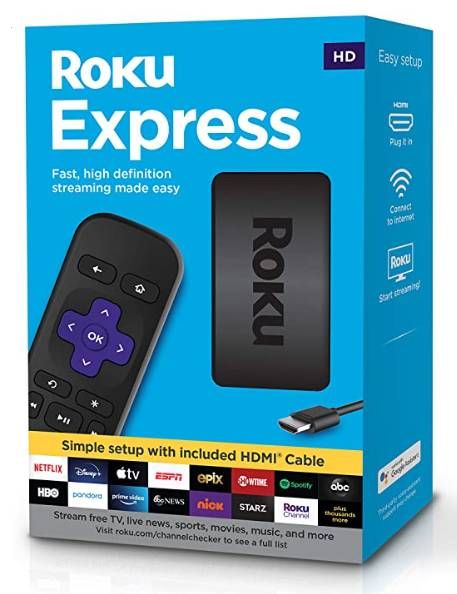
Buy Roku Express on Amazon:
Turn your normal TV into a Smart-TV with just a simple RokuExpress Dongle!

optional

Smart TVs:

Smart TVs has AirPlay Built-in just like Apple TVs’. Miscast iPhone to Smart TV is completely free and systematically of course. Just a few clicks and Bamm! You’re mirroring your iPhone to your TV with Roku Express Device!

Buy Smart TV on Amazon

Smart TV wifi settings:

Settings should be similar across all smart TVs.

Step 1: Network Settings to Miracast iPhone

Go to your TV Settings as I have. (Step by Step guide below)

miracast iPhone 7 Plus to smart tv

Step 2: Head to the Internet & Network Settings

Go to your Network Settings as shown in the Step by Step guide below.

miracast iPhone 7 Plus to smart tv

Step 3: Connect your TV to your Wi-Fi or any other connection

Inside the Network Settings, connect your Roku Express to your Wifi or Mobile Hotspot.

miracast iPhone 7 Plus to smart tv

Step 4: Connect your iPhone & Smart TV to the Same Wi-Fi Connection

Make sure your iPhone and your Roku Express are connected to the same connection.
As shown in the Step by Step guide below.

miracast iPhone 7 Plus to smart tv

Step 5: Open AirPlay Settings on Smart TV

Once your Roku Express is connected to WiFi, go back to settings and Open the AirPlay Settings!

(As Shown Below)

miracast iPhone 7 Plus to smart tv

Step 6: AirPlay Settings to Miracast iPhone 7 Plus

Inside the AirPlay Settings, It should look exactly the same if you’re doing it for the first time. If you’re not doing it for the first time, it’s gonna be a Lil different but works the same.

miracast iPhone 7 Plus to smart tv

Step 7: Connect your iPhone to the Same Network

In order to Miracast iPhone to Smart TV, we need to make sure our iPhone and our Smart TV are on the Same Network.

You can use iPhone’s Portable Hotspot (optional) just be careful it’s not free depending on your network.

miracast iPhone 7 Plus to smart tv

Step 8: On your iPhone

On your iPhone (any) go to your Control Center and Look for the Screen Mirroring option.

If: You’re on iOS 15 it should look exactly the same as shown below.
If: You’re not on iOS 15, you’ll find the Screen Mirroring Option a little bigger.

miracast iPhone 7 Plus to smart tv

Step 8: Select your Roku Express

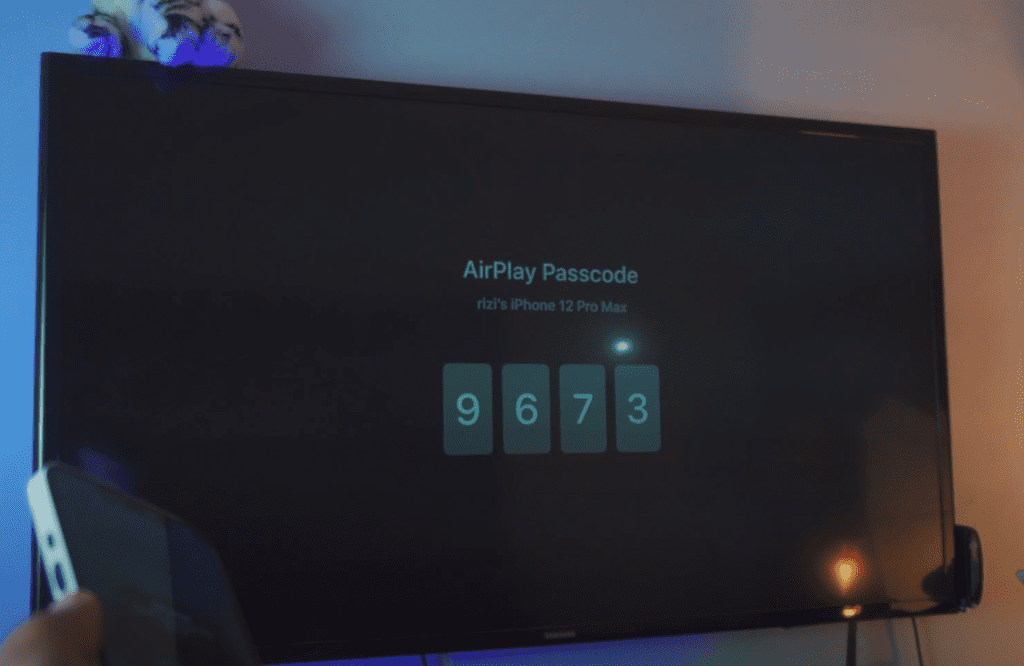
Once you select the option, it’ll prompt you to enter the code that your Roku Express TV displays.

miracast iPhone 7 Plus to smart tv

Step 9: Enter the Displayed Code into your iPhone

Enter the 4-Digit code that your TV shows into your iPhone.

miracast iPhone 7 Plus to smart tv

Step 10: It’s DONE!

Once you enter the code, it’ll automatically screen mirror your iPhone to your Roku Express. Fast and Quick!

Conclusion:

Miracast iPhone to Smart TV, completely free and easy with just a few steps. Smart TVs nowadays have Apple Airplay built-in so you could Miracase iPhone and enjoy the content on the big screen completely free and without having to download any 3rd-Part Apps!

Video Tutorial:

Affiliate Links:

Get TCL TV on Amazon: https://amzn.to/ROKUTV
Get iPhone on Amazon: https://amzn.to/iPHONE
Get Roku Express: https://amzn.to/RokuExpress
Get Roku TV: https://amzn.to/3JiNSp4

Tags: iphonemiracastmiracast iphoneroku tvscreen mirroringsmart tv
SummarizeShare243

Related Posts

How to connect android phone to smart tv 2026 complete guide
Android

How to Connect Android Phone to Smart TV (2026 Complete Guide)

Watch new Tutorials on How-To Screen Mirror on Youtube every Week! A complete guide on How to Connect an Android...

January 29, 2026
iOS 26 Friendly Wallpapers
Featured posts

iOS 26 Friendly Wallpapers for you!

I searched the internet so you don't have to for the most amazing wallpapers that would go amazing with new...

October 6, 2025
Transform Your iPhone: Create a Dark & Aesthetic Theme
Featured posts

Transform Your iPhone: Create a Dark & Aesthetic Theme

Transform Your iPhone 15 Pro: Create a Dark & Aesthetic Theme! Tired of the same old app icons on your...

January 1, 2026
How to Screen Mirror Motorola to TV
Android

How to Connect & Screen Mirror Motorola to TV

Watch new Tutorials on How-To Screen Mirror on Youtube every Week! How to Connect & Screen Mirror Motorola to TV:...

April 30, 2025
Next Post
cast iphone 7 plus to samsung tv

Cast iPhone 7 Plus to Samsung TV

cast iphone to android & cast android to iphone

How to Cast iPhone Screen to Android Phone & Android Screen to iPhone

Recommended

mirror phone to roku tv

How to Mirror Phone to Roku TV

July 11, 2023
Mirroring Netflix from iPhone to TV

Mirroring Netflix from iPhone to TV

April 14, 2023
Screen Mirroring Windows 11 Laptop to TV

Screen Mirroring Windows 11 Laptop to TV (Wirelessly)

February 6, 2024
How to Screen Mirror Motorola to TV

How to Connect & Screen Mirror Motorola to TV

April 30, 2025

Categories

  • Android
  • featured
  • Featured posts
  • iOS
  • Macbook
  • Screen Mirroring
  • TV
  • Uncategorized
  • Windows

Instagram

    Go to the Customizer > JNews : Social, Like & View > Instagram Feed Setting, to connect your Instagram account.

Subscribe

Join over 12.000+ subscribers & be the first to get new freebies.

Disclaimer

This demo site is only for demonstration purposes to JNews WordPress theme. All images are copyright to their respective owners. All content cited is derived from their respective sources.

  • Home
  • Contact

Welcome Back!

Login to your account below

Forgotten Password?

Retrieve your password

Please enter your username or email address to reset your password.

Log In
No Result
View All Result
  • Apple
  • Samsung
  • Android
  • iOS
  • MacBook
  • Windows
Go to mobile version