


Watch new Tutorials on How-To Screen Mirror on Youtube every Week!
Screen Mirroring Android 12 to TV (2022
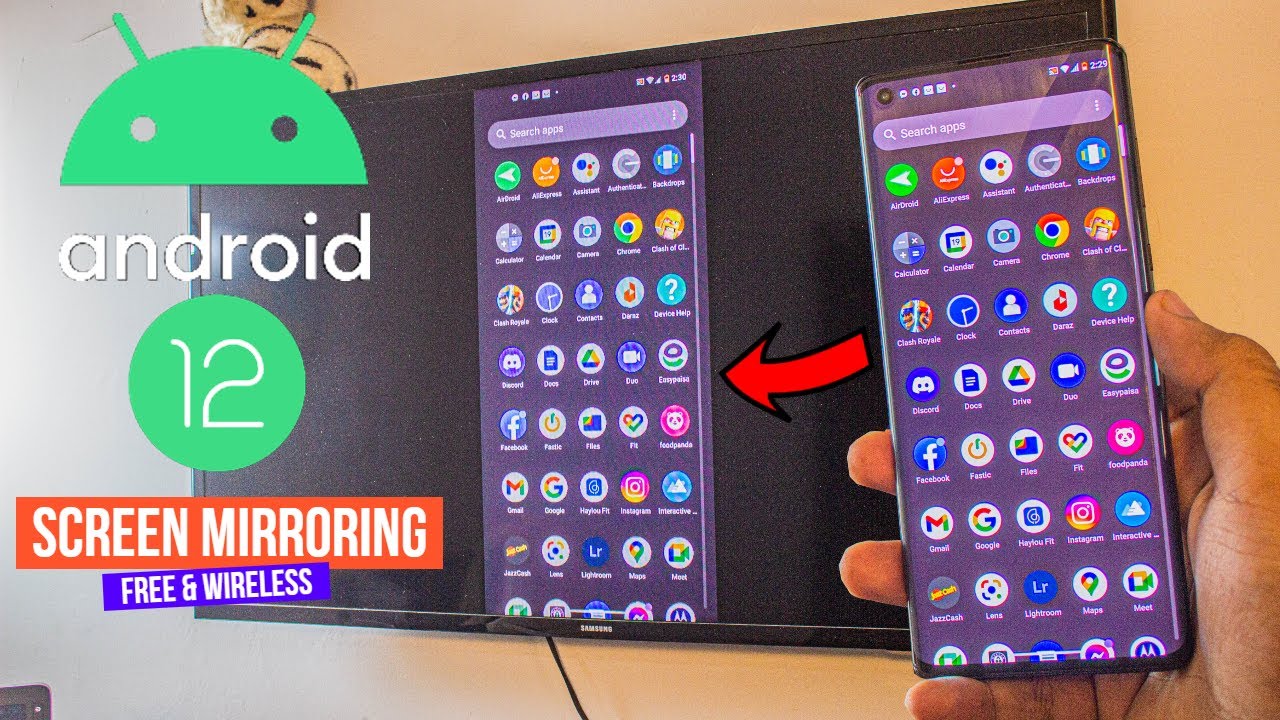
How to Screen Mirror Android 12 to TV without any 3rd Party Apps and it’s absolutely free and wireless.
Learn to Screen Mirroring Android 12 Phone to TV, free of cost, wireless and with absolutely no lag at all. All of that without having to download any 3rd-party apps. Because everything is built-in.
The Connection: Connect Phone to Wifi / Hotspot (Optional)

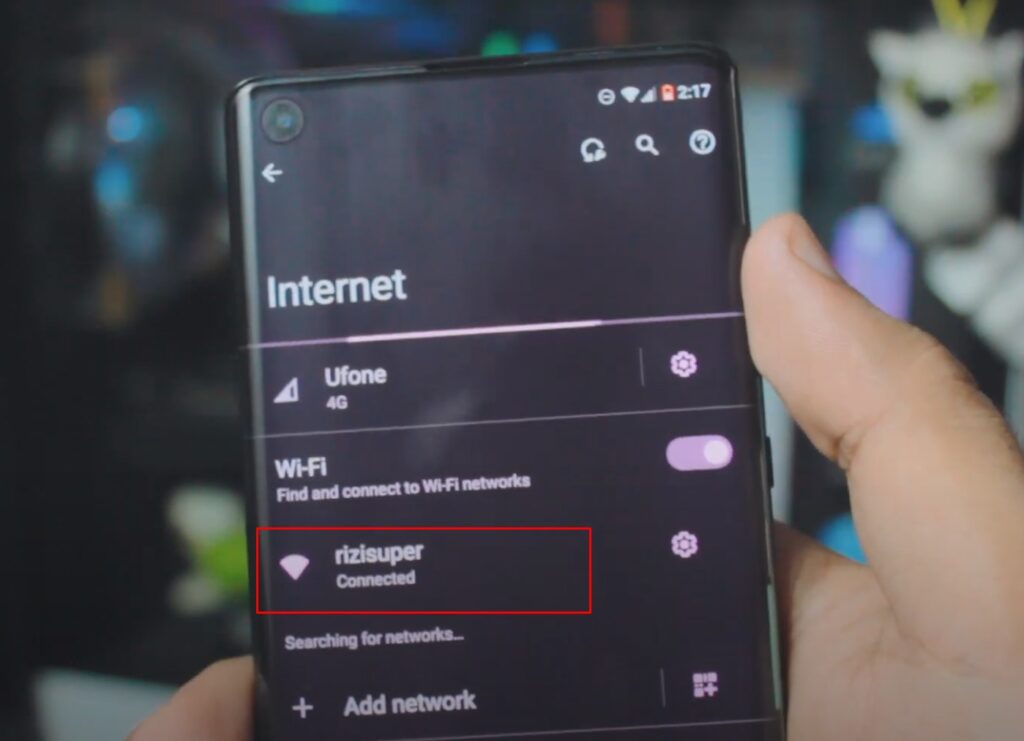
Connect your Phone to your preferred Network. It can be either your Home Wifi or you could also use Mobile HotSpot. (Be careful with the Mobile Hotspot, depending on your Network it’ll cost you credit)
Wifi or Personal Hotspot:
When it comes to Networks you’ve options. Let’s say you don’t have access to Wifi Network, that’s alright. We can also use Mobile Data and enable Personal Hotspot for later use.

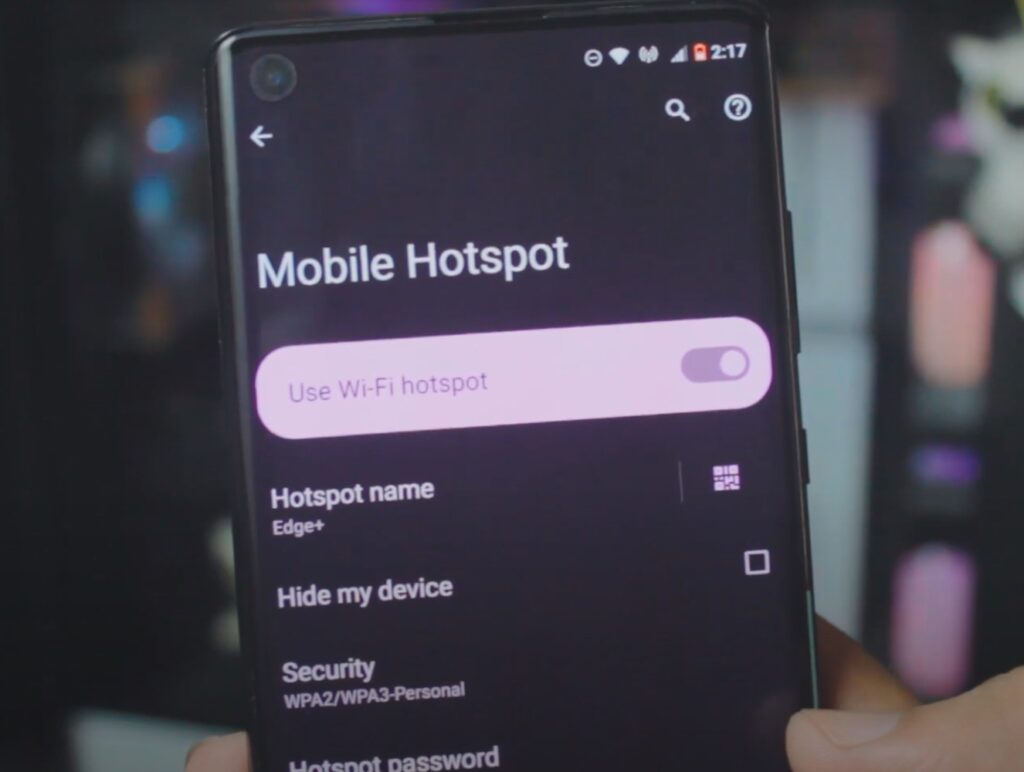
If you don’t have Wifi available you can definitely use your Personal Hotspot from your Phone to Connect to the TV. (Be careful depending on your network plan it’s not free)
Connect TV to the Same Network

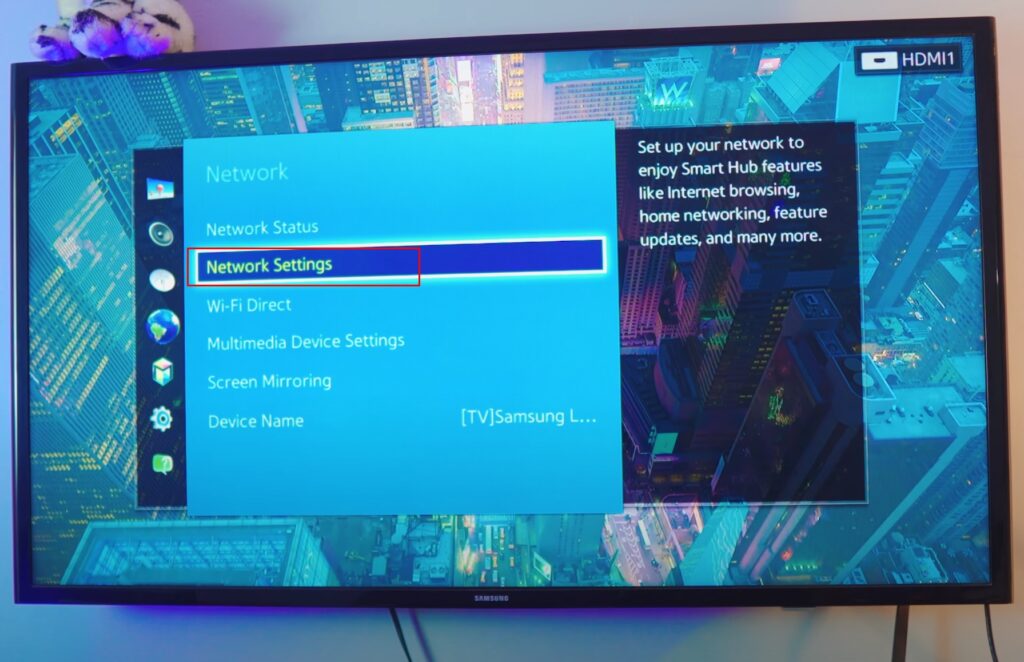
Choose your Network for TV
As discussed earlier, we’ve two options here. Either use Available WiFi or Use the Hotpot from our Phone because we need to make sure our TV is also on the same network as our Phone is.
As Screen Mirroring, MiraCast, and Chromecast work only if both the TV and your phone are on the same Network.

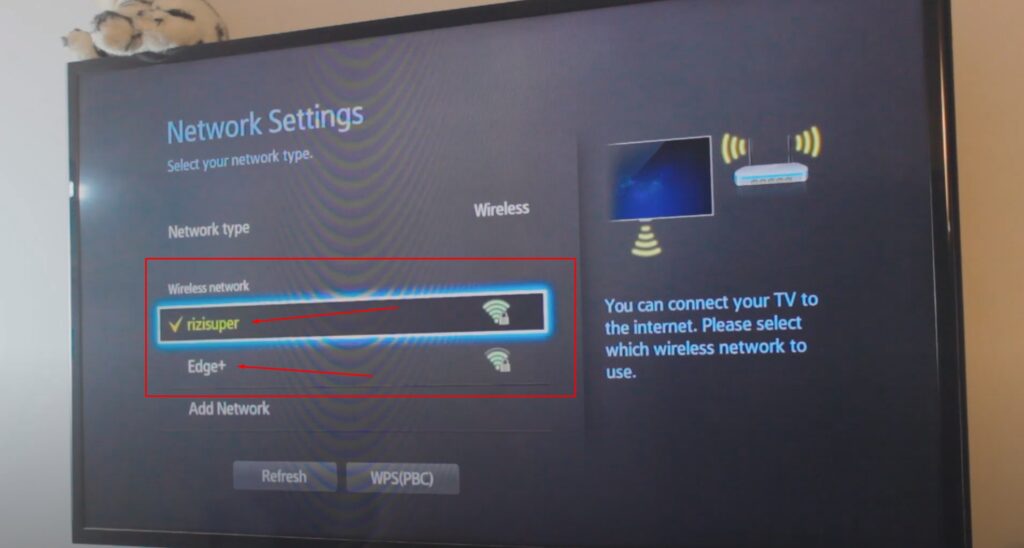
As discussed Here, you can see I have the Hotspot from my Android 12 Device (Edge+) and my Home Wifi (rizisuper). The Choice is yours, just make sure whatever you’re selecting. Both Devices are on the Same Network.
Enable Screen Mirroring to Connect Phone to TV

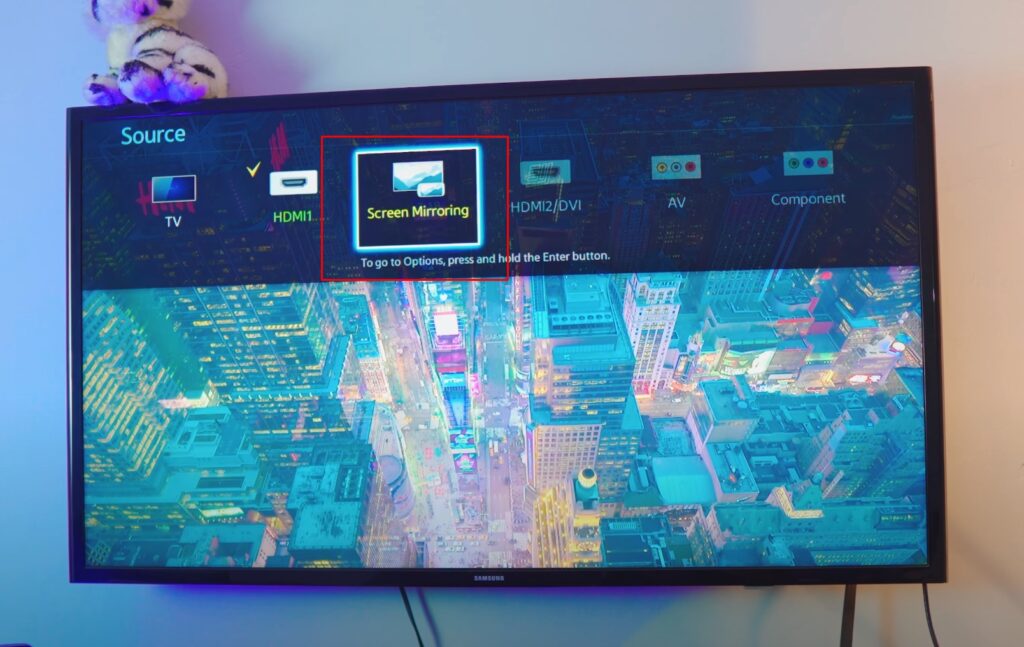
As This is an 11 years old Samsung TV, and it’s not even android. So we basically need to enable everything manually. If it was a Smart TV, however, you don’t need to manually enable anything as the Screen Mirroring is enabled when your TV is connected to Wifi. But, that is not the case in this one. If you have an Old TV like me, you need to enable Screen Mirroring manually in order to Screen Mirror Android 12 to TV.

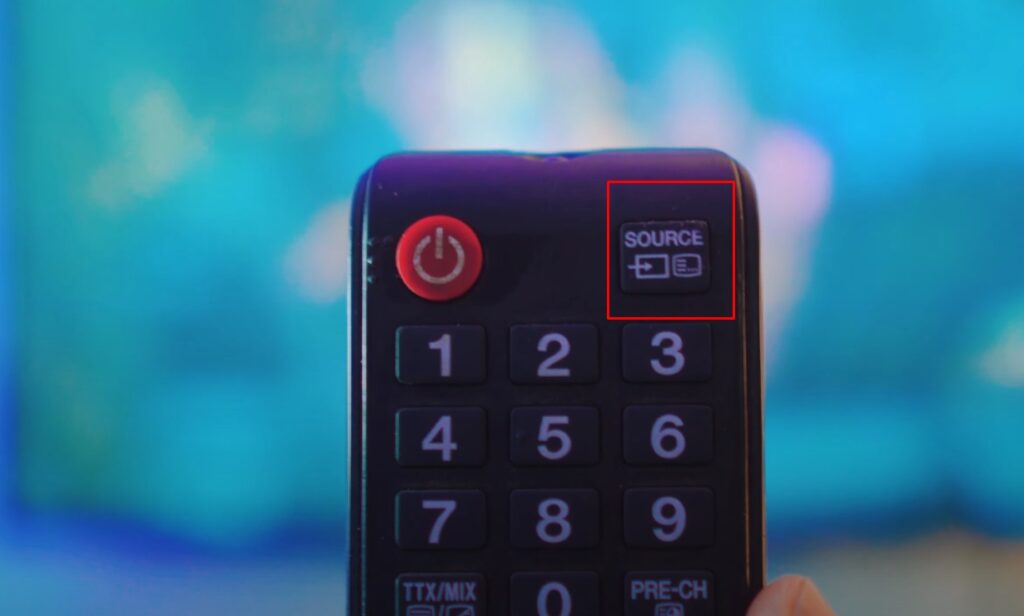
You Can Access Screen Mirroring by Going into Source.
Or
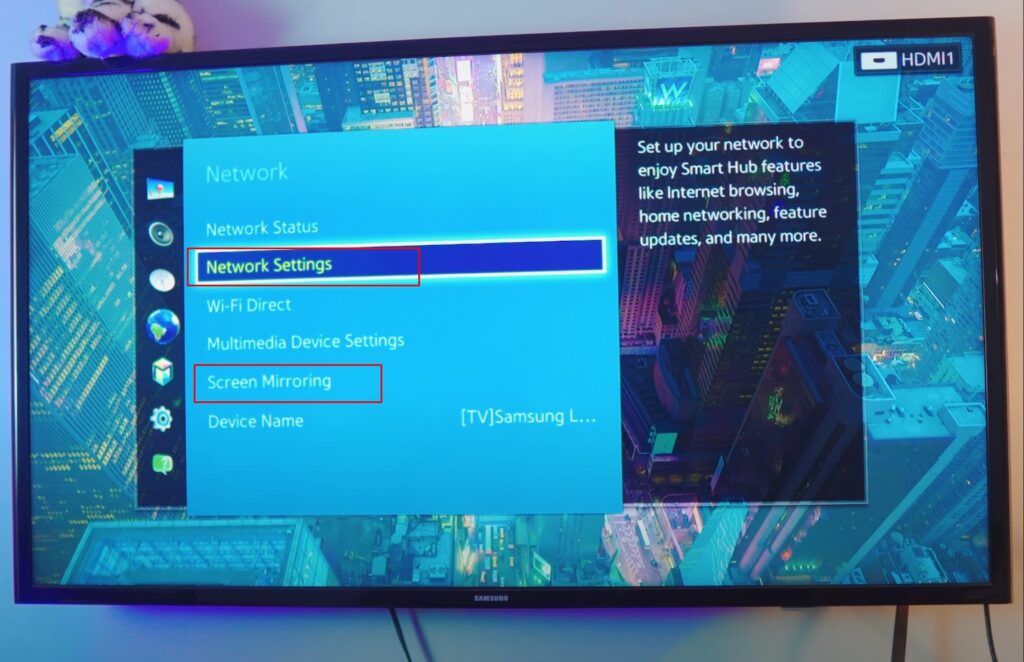
You Can head over to Network Settings and Open Screen Mirroring.
Screen Mirroring on TV is Enabled
Once the Screen Mirroring is Running on the TV, that means our TV is ready! By the way, if you want to check if your TV has Screen Mirroring on Not? Refer to This Article for more info.

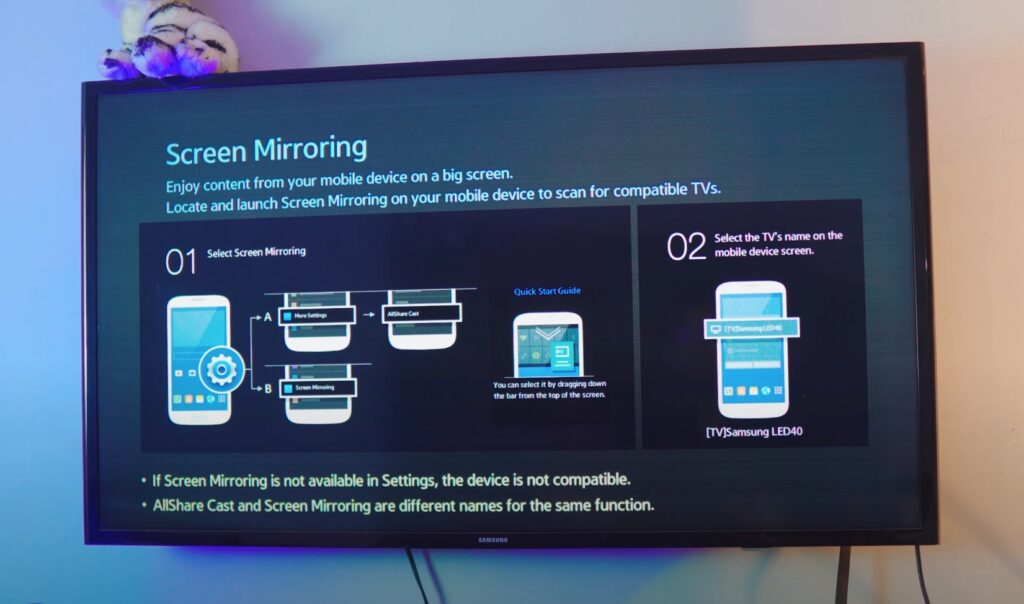
Mirror Android 12 to TV
Once everything is up and running. There are two Ways you can Mirror Android 12 to TV. One is by Heading over to Control Center and Finding “Screen Cast” and it’s pretty simple as well. Swipe to other Panels if you’re having a hard time finding it.

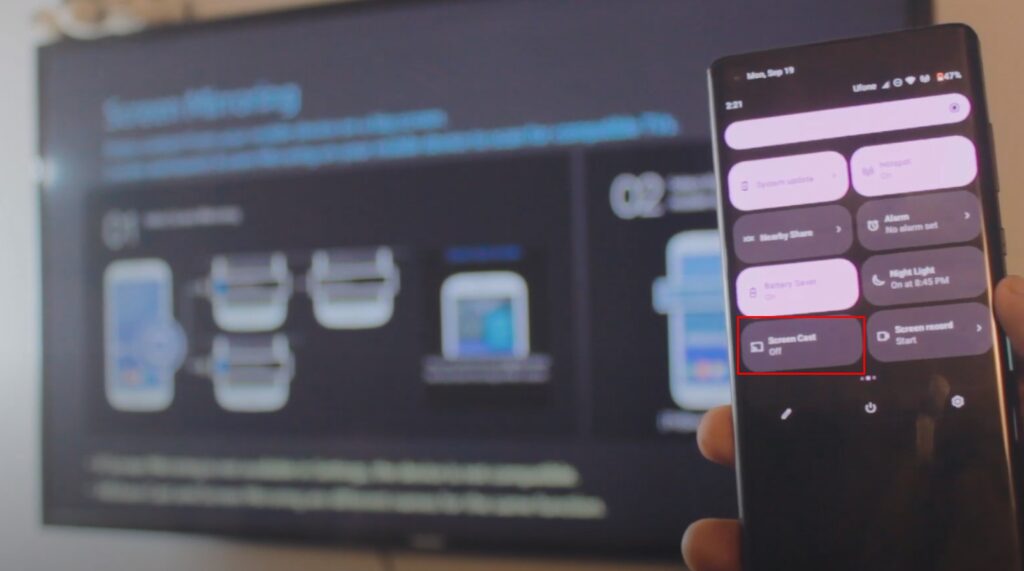
Screen Cast Option in Settings
Let’s say it’s available in the Control Center. You can always find the Screen Cast Option in the Settings of your Android 12 Device (Follow the Instructions)

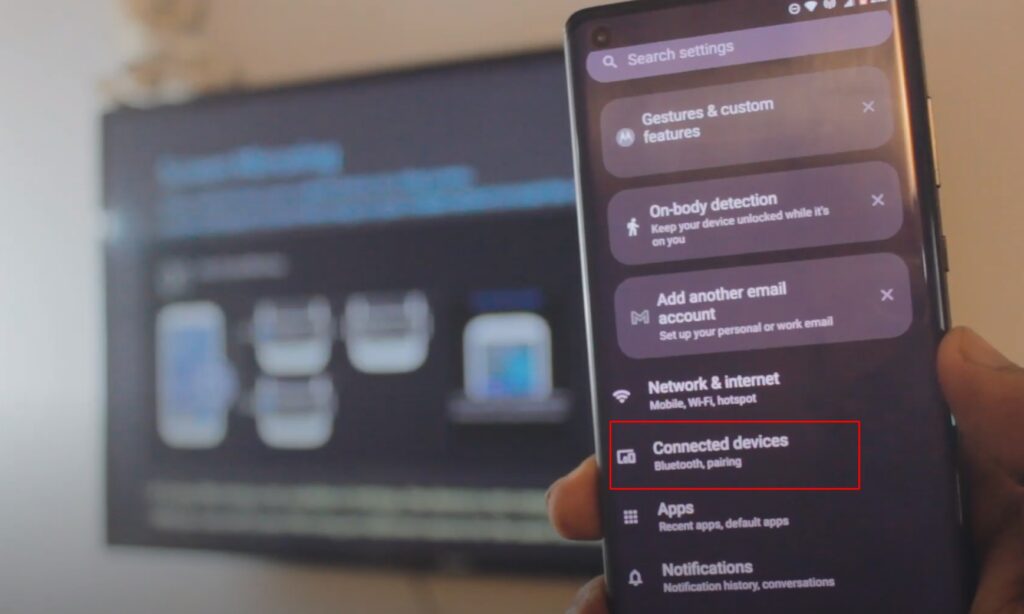

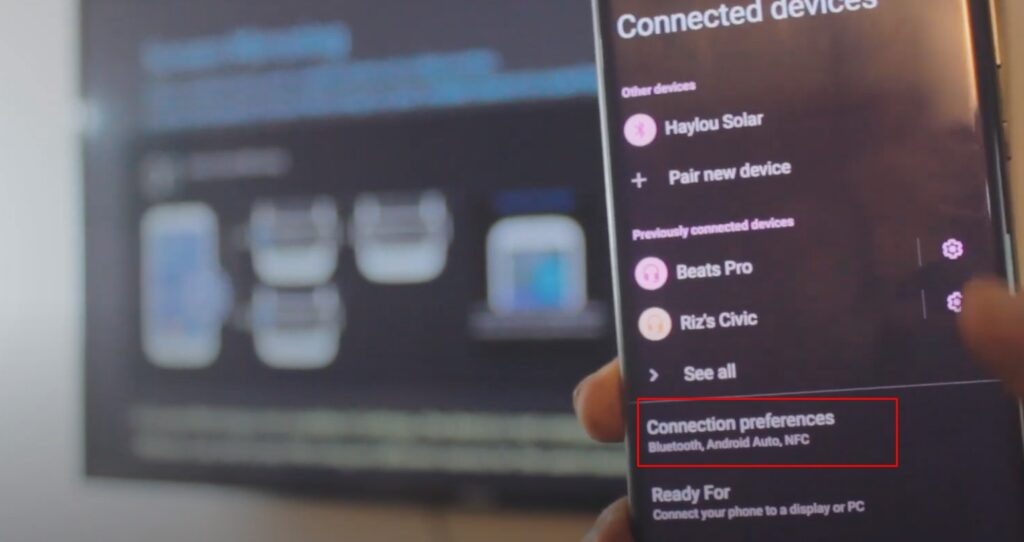

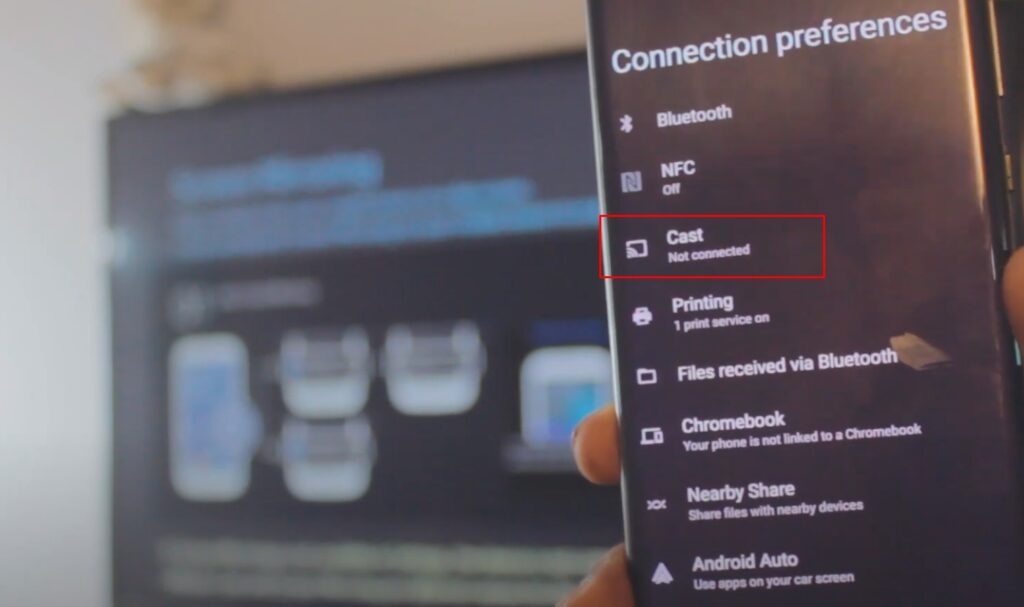

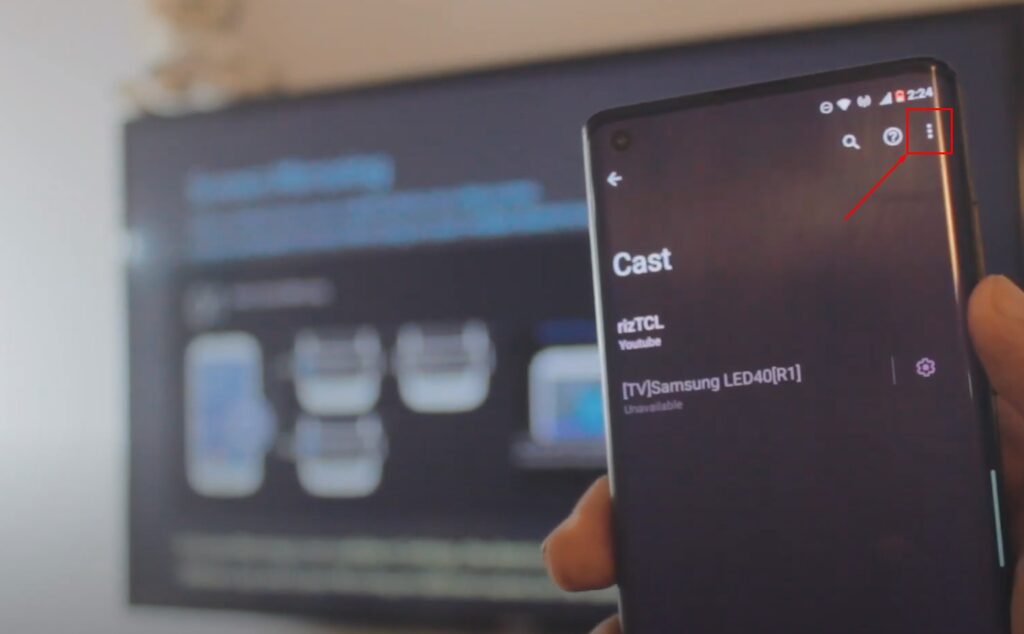
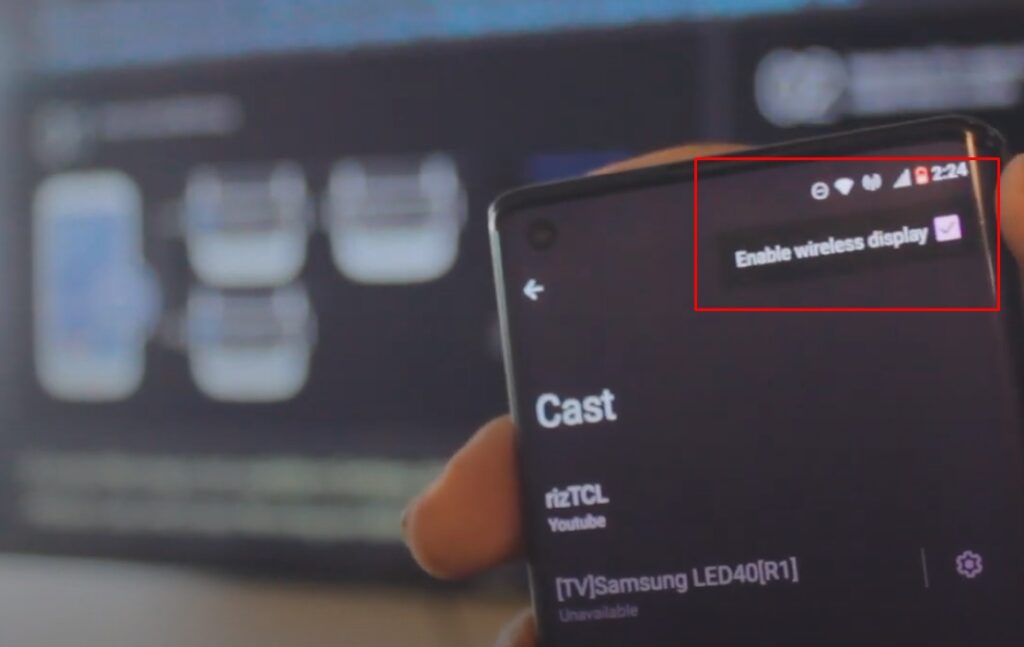
Refer to Video Tutorial for more information:
Screen Mirroring Android 12 to TV (2022)
Wireless Display Option is only for Older TVs like this one, it’s optional. Just Enable Wireless Display for Good measure and Select your TV to Screen Mirror Android 12 to TV free and wireless.

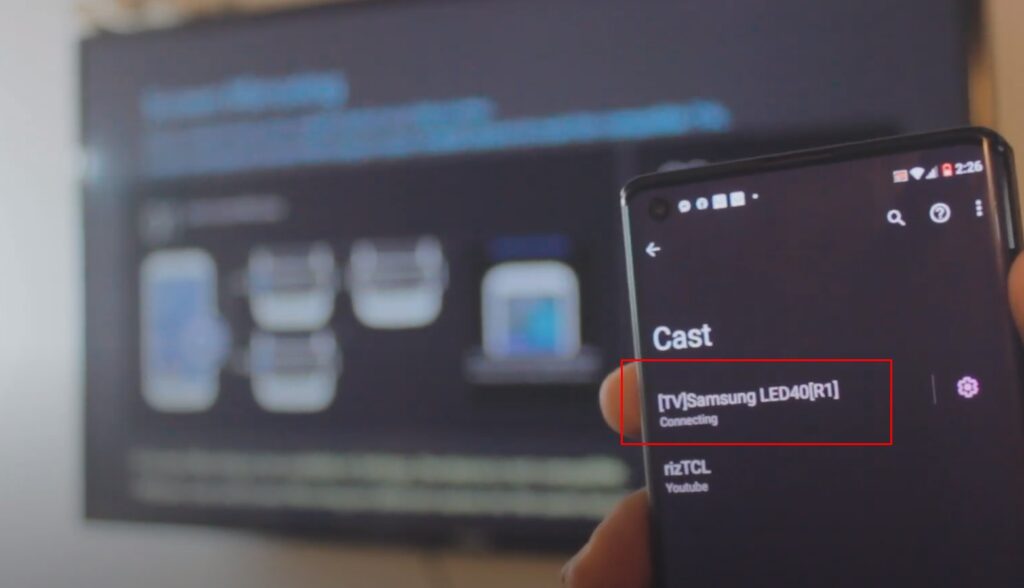
Connect Phone to TV – Free and Wirelessly!
See, wasn’t that easy? Screen Mirroring or Connecting Android 12 Phone to TV is completely free of cost and it’s wireless. See, that’s why I love android. Everything is built-in, we don’t need to download any 3rd-Party Apps to Screen Mirror Android 12 to TV!

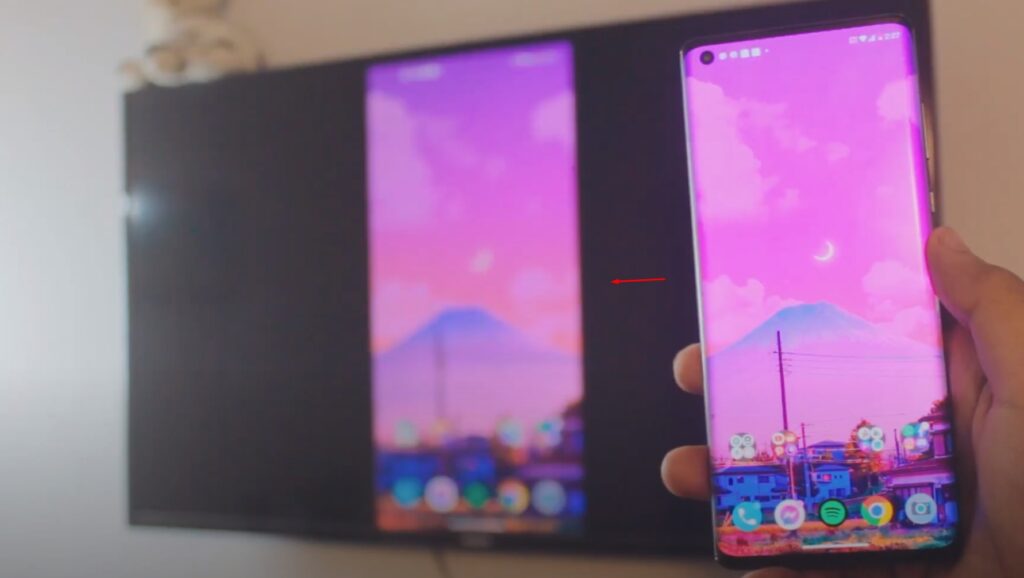
How to Stop Phone Connected to TV?
Just like we Connected, head over to Wireless Display & click on your TV and Click Disconnect.

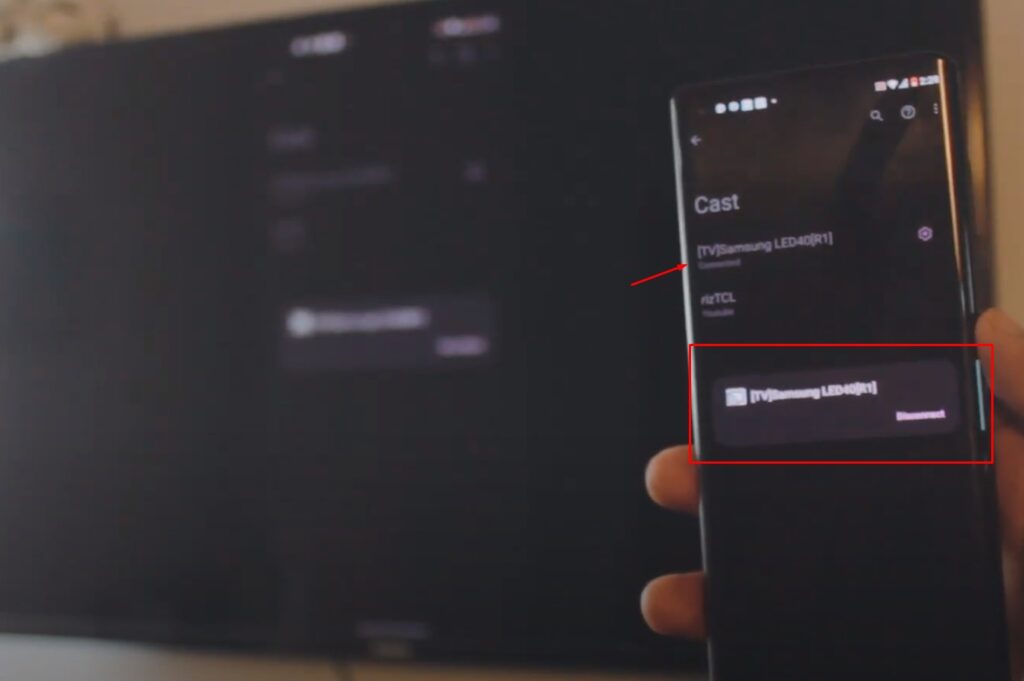
Select the Connected TV and Hit Disconnect.
Connect Phone to TV
See how easy the whole process was? Hope you enjoyed it, feel free to get in contact if you’ve any questions.
Conclusion:
How to Screen Mirroring Android 12 Phone without any 3rd Party Apps and it’s absolutely free and wireless. Hey there, today I’ll show you how you can Screen Mirror Android 12 to TV without using any 3rd party app and it’s absolutely free. Which makes it really smooth and has no lag at all. Most of all, it’s so simple, it only takes a few clicks and bam! You’re Mirroring Android 12 Phone to TV!
Video Tutorial:


