


Watch new Tutorials on How-To Screen Mirror on Youtube every Week!


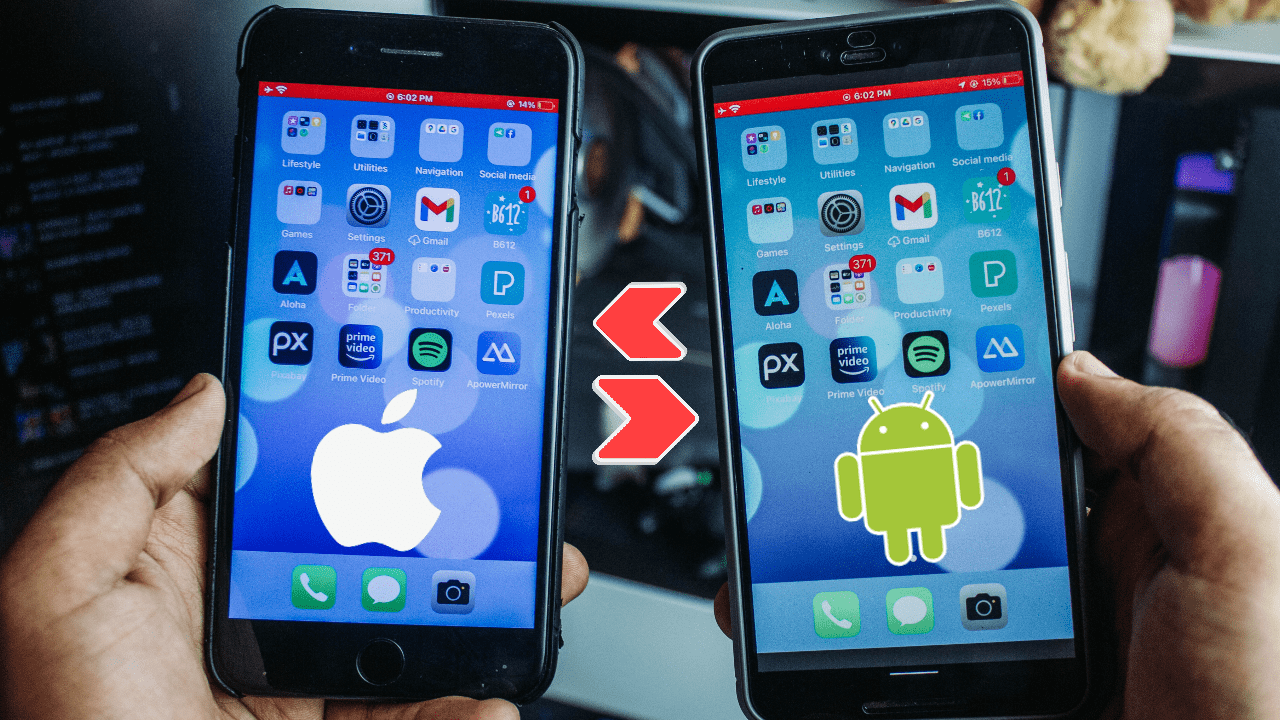
Mirror or Cast iPhone Screen to Android Phone & Cast Android Screen to iPhone Completely free and Wireless!
Cast iPhone to Android & Cast Android to iPhone
Learn to Cast any iPhone Screen to any Android Phone Free and Wireless. Mirror iPhone to Android Phone, lag-free and wireless. To Mirror iPhone to Android Phones, we’ll be using ApoweMirror a Free App for both the iPhone and Android. ApowerMirror will let us Mirror iPhone Screen to Android or Android Screen to iPhone completely free and easy!
Download ApowerMirror App Free to Cast iPhone to Android
ApowerMirror App is free on both platforms, just follow the steps given below.
Android: ApowerMirror on PlayStore
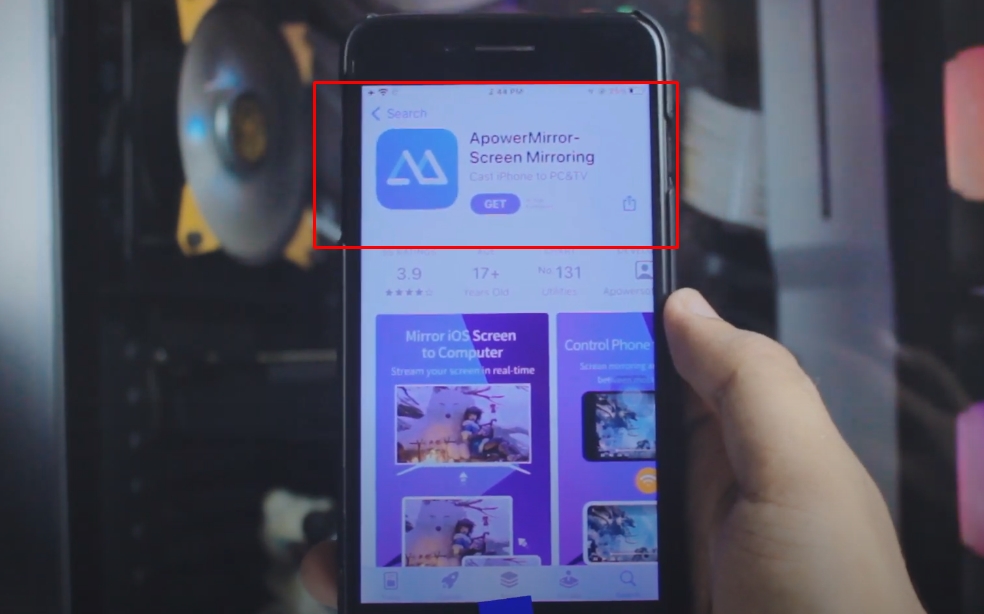
Step 1: Download ApowerMirror on iPhone
Head over to AppStore and Download ApowerMirror App for free. (Step by Step guide below)

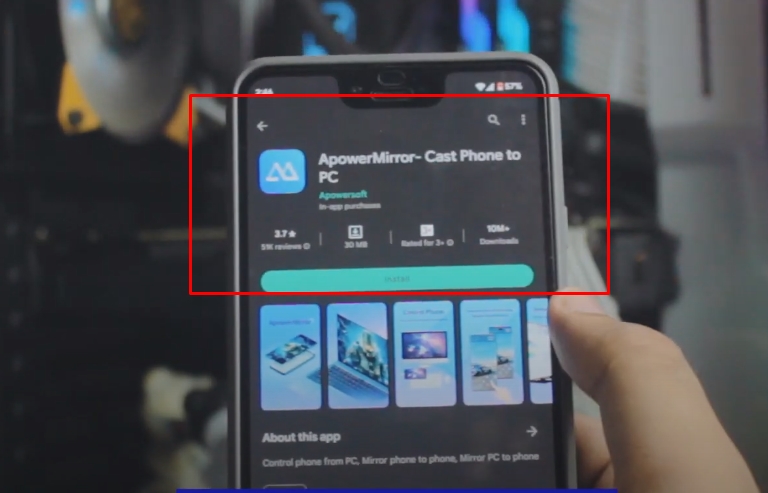
Step 2: Download ApowerMirror on Android
Head over to PlayStore and Download ApowerMirror App for free. (Step by Step guide below)

Step 3: Connect your iPhone & Android to the Same Network
In order to Cast iPhone Screen to Android or Cast Android to iPhone, we need to make sure both of our devices are on the same network. Although, there are no restrictions as to what network it is. It can be your Home Wifi or any Hotspot. Doesn’t matter as long as both of your devices are on the same network.

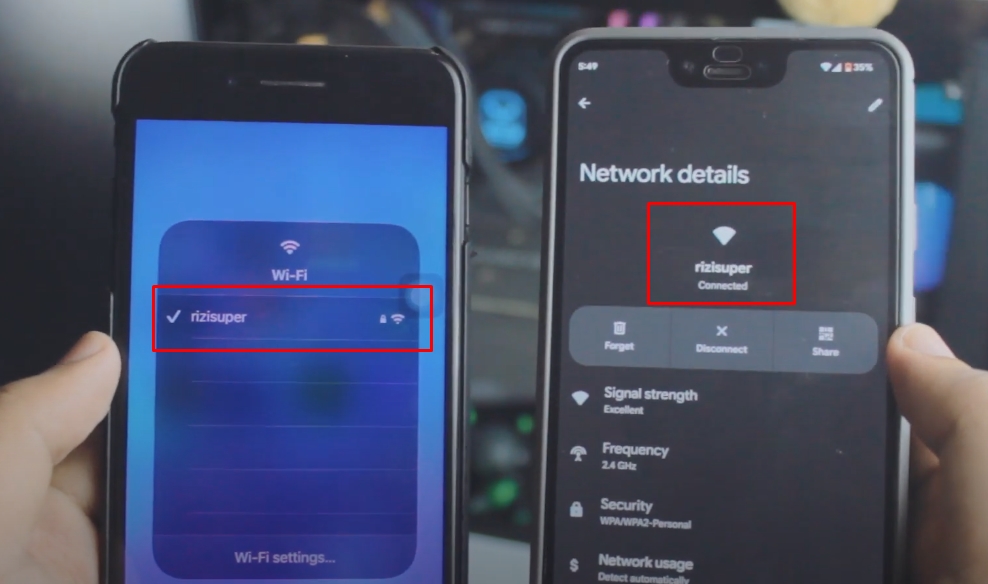
Step 4 (Optional): Hotspot instead of Wifi
Use this option only when you don’t have access to your Home Wifi or Wifi in general. Hotspot from Either iPhone or Android Phone will cost you data or credit depending on what DATA plan you have and your Carrier network. (be careful with mobile hotspot)

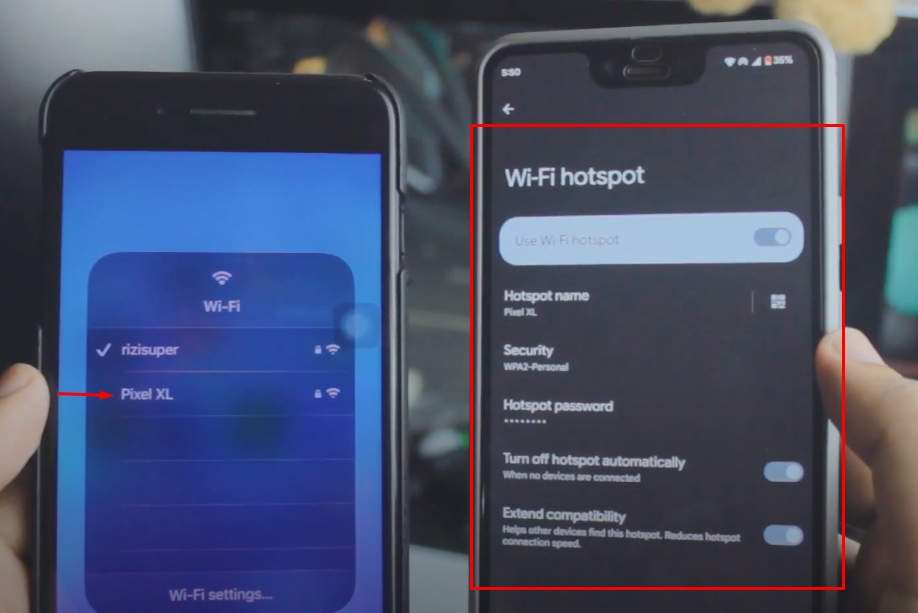
Step 5: Cast iPhone to Android Using ApowerMirror
Once your iPhone and Android are on the same network. We’re all set to Cast iPhone to Android for free and wireless!
(As Shown Below)

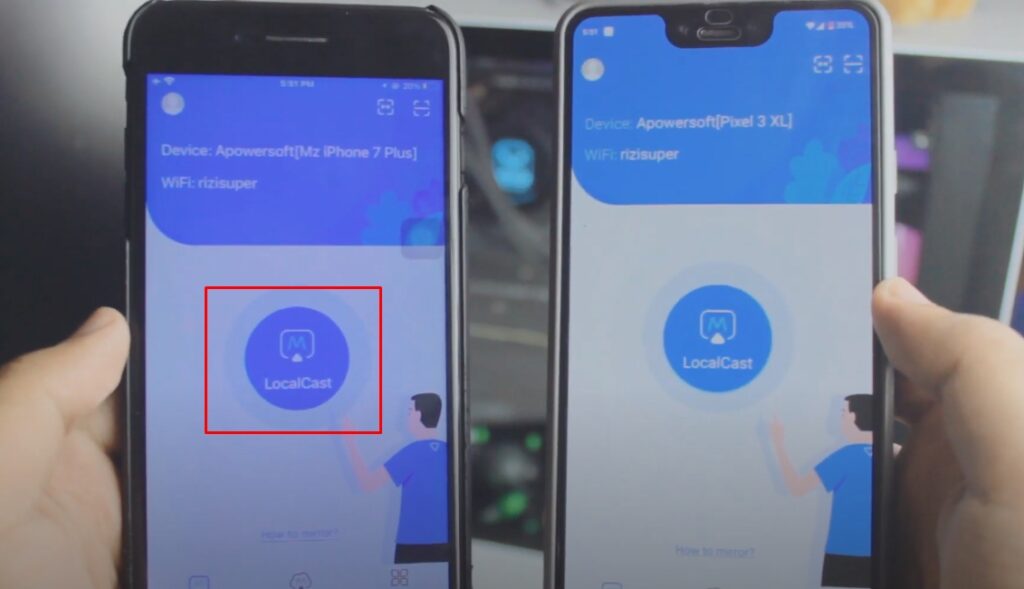
LocalCast on ApowerMirror
The simplest way would be to just click on “LocalCast” and it’ll automatically search for all the devices that are on the same network and running ApowerMirror from your iPhone.

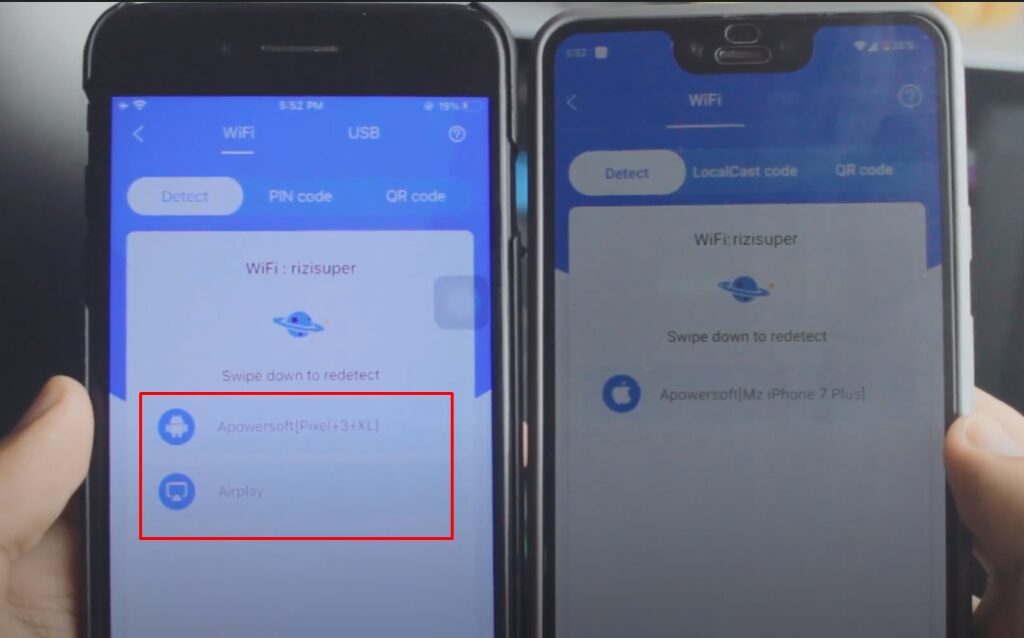
Select the Android Phone to Cast iPhone Screen
Once the search is complete, it will list all the devices. Select your desired device that you want your iPhone to Cast to & Start Broadcast.
You can Cast & Control too (optional) it just requires a little more permissions.

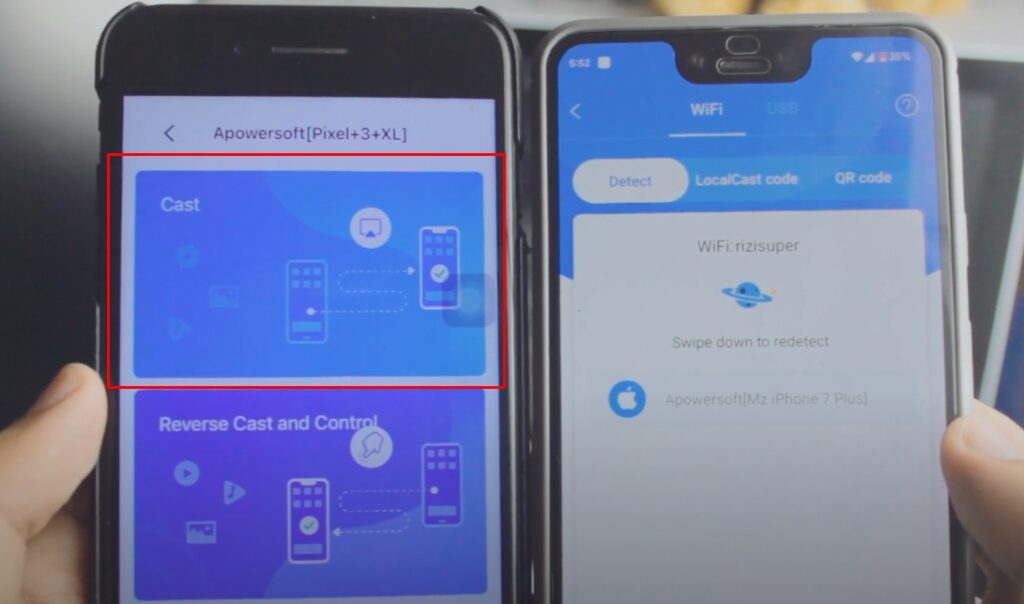
Cast iPhone to Android Phone using ApowerMirror
Select Cast and Start the broadcast to Cast iPhone Screen to Android Phone

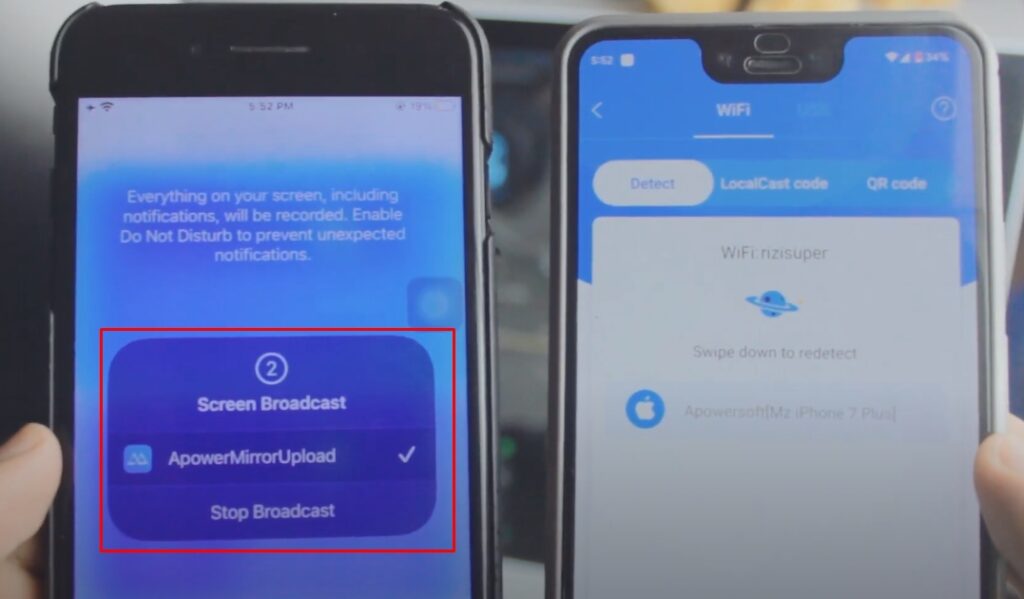

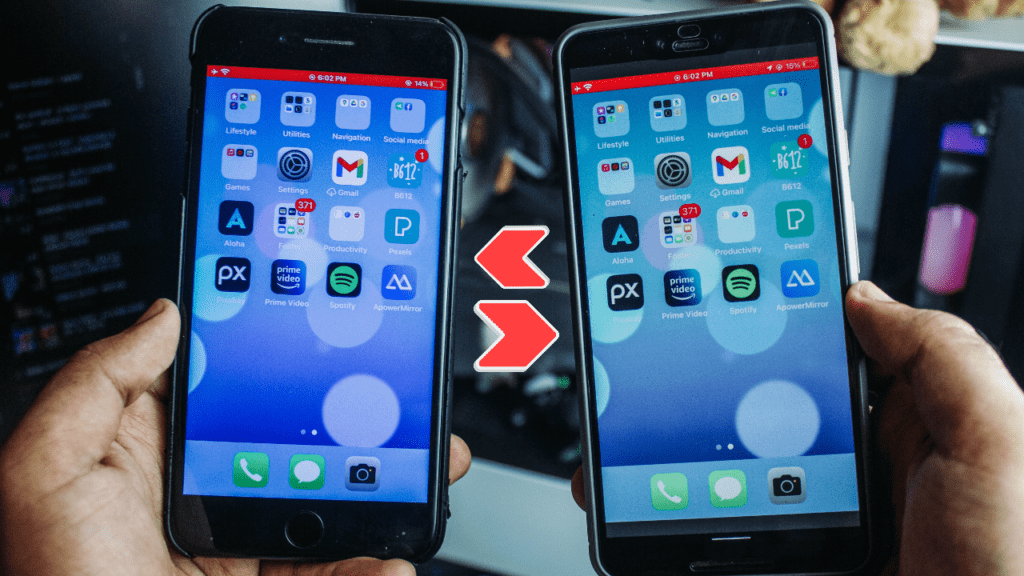
Cast Android Screen to iPhone
Just like we did with the iPhone to cast iPhone to Android. It works just the same except you need to repeat the process but only this time on your Android Device.

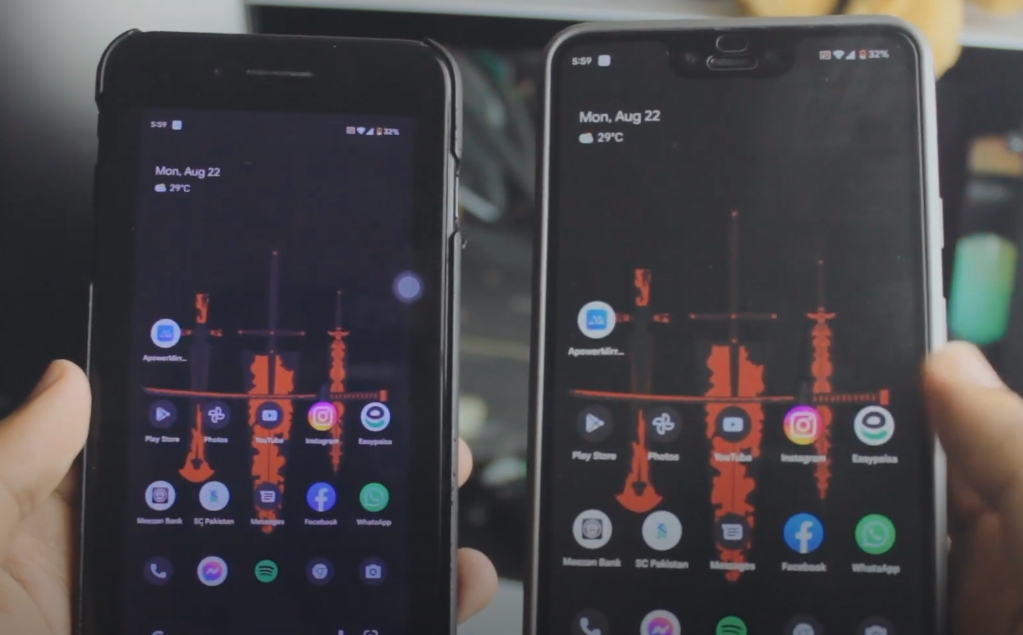
Cast iPhone Screen to Android (Full Screen) Optional
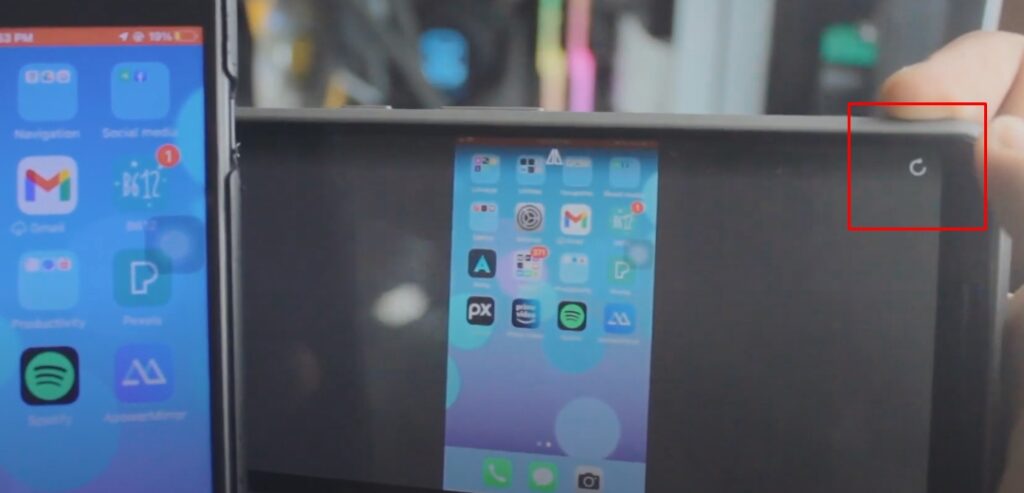
Once you’re Casting iPhone To Android Phone or Casting Android to iPhone if it’s not full screen. No worries, if you look at the top or bottom right corner on either of your devices. You have the option to Go Full Screen.

How to Stop Casting iPhone Screen?
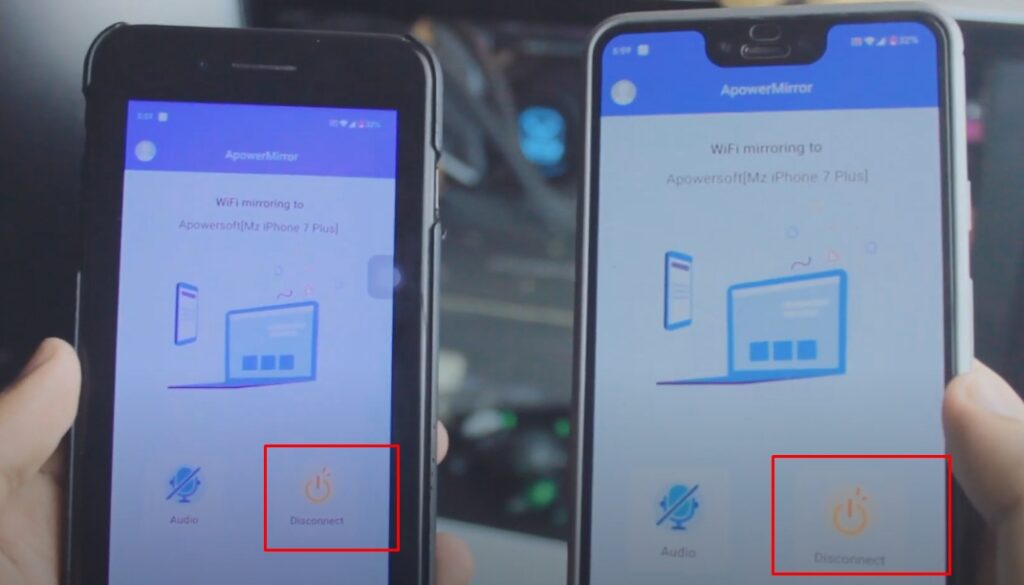
Head back to ApowerMirror and if the Casting is Live, you should have the option to stop it.

Conclusion:
Learn to Cast any iPhone Screen to any Android Phone Free and Wireless. Mirror iPhone to Android Phone, lag-free and wireless. To Mirror iPhone to Android Phones, we’ll be using ApoweMirror a Free App for both the iPhone and Android. ApowerMirror will let us Mirror iPhone Screen to Android or Android Screen to iPhone completely free and easy!
Video Tutorial:

Affiliate Links:
Get TCL TV on Amazon: https://amzn.to/ROKUTV
Get iPhone on Amazon: https://amzn.to/iPHONE
Get Roku Express: https://amzn.to/RokuExpress
Get Roku TV: https://amzn.to/3JiNSp4


